.content-section { padding: 20px 0; }
@media (max-width: 768px) {
h1 { font-size: 1.75rem; }
h2 { font-size: 1.5rem; }
h3 { font-size: 1.25rem; }
p, li { font-size: 1rem; line-height: 1.6; }
}
Understanding WordPress Development: A Complete Overview
Understanding WordPress development is crucial for anyone interested in building websites, especially considering its popularity and user-friendliness. This comprehensive guide breaks down what WordPress development involves, its components, and the skills needed to succeed in this field.
What is WordPress Development?
WordPress development refers to the process of creating and customizing websites using the WordPress platform. It matters because WordPress powers over 40% of all websites on the internet, making it a valuable skill for developers and content managers. Understanding its architecture helps developers create user-friendly and efficient websites.
Why is WordPress Popular Among Developers?
WordPress is popular among developers because of its flexibility, ease of use, and vast community support. It allows developers to create a range of websites, from personal blogs to large e-commerce platforms. Good examples of WordPress sites include news outlets, portfolios, and business websites. Conversely, low-quality implementations can lead to slow performance and security vulnerabilities.
What Are the Key Components of WordPress Development?
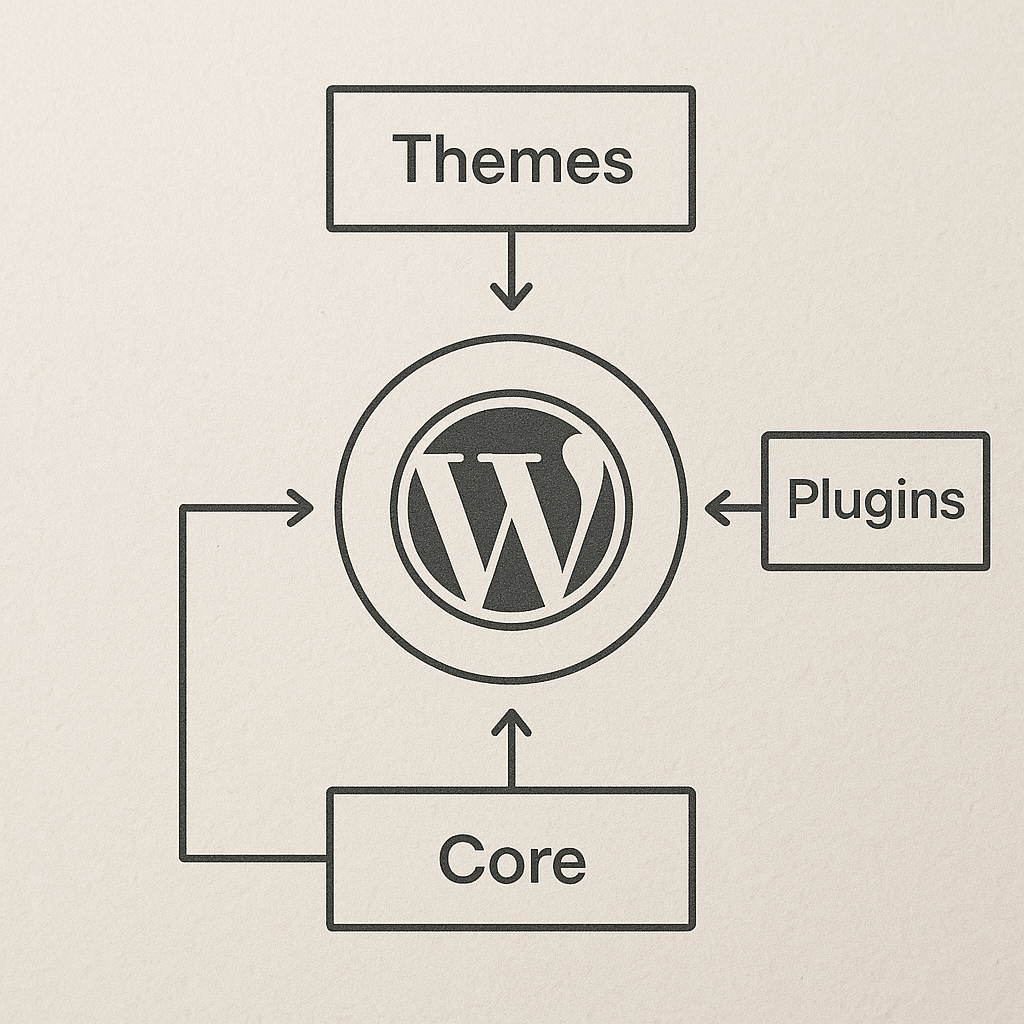
The main components of WordPress development include themes, plugins, and WordPress core. Themes control the appearance of a website, plugins add functionality, and the WordPress core is the framework that makes everything work together. A well-designed theme enhances user experience, while poorly coded themes can hinder speed and usability. Similarly, effective plugins can expand functionality without bloating the site, whereas poorly developed plugins can cause conflicts and crashes.
How Do You Get Started with WordPress Development?
To start with WordPress development, you need to have a basic understanding of HTML, CSS, and PHP. Enrolling in online courses or reading documentation can also help build foundational skills. Good starting projects include creating a simple blog or a portfolio site. On the contrary, beginning with overly complex projects can lead to frustration and slow learning.
What Skills Are Needed for WordPress Development?
Key skills for WordPress development include proficiency in programming languages such as PHP, understanding HTML and CSS, and familiarity with JavaScript. Additionally, knowledge of database management and search engine optimization is beneficial. For instance, knowing how to optimize images can enhance site performance, which improves user engagement. In contrast, neglecting these skills can lead to poorly optimized websites that frustrate visitors.
What Are the Best Practices for WordPress Development?
Best practices in WordPress development include using child themes for customization, adhering to coding standards, and keeping plugins and themes updated. For example, child themes allow you to modify your site’s look without losing changes during updates. Neglecting these practices can result in security vulnerabilities or the inability to restore the site after an update.
How Can You Find Quality WordPress Themes and Plugins?
Quality WordPress themes and plugins can be found on reputable marketplaces such as the official WordPress repository or established theme shops. Checking user reviews and updates is crucial for ensuring quality. A high-quality theme should have responsive design, good loading times, and regular updates. A subpar theme could negatively affect search rankings and lead to poor user experiences.
What Are Common Mistakes to Avoid in WordPress Development?
Common mistakes in WordPress development include not backing up your website, using too many plugins, and neglecting website performance. For example, excessive plugins can bloat a site, leading to slower load times. Ignoring these potential pitfalls can lead to lengthy recovery times and loss of data.
What Tools Are Helpful for WordPress Developers?
Helpful tools for WordPress developers include code editors like Visual Studio Code, debugging tools like Query Monitor, and performance testing tools such as GTmetrix. These tools streamline the development process and help identify issues before launch. Not utilizing these tools may slow down development and reduce the quality of the final product.
What Resources Can Help You Learn More About WordPress Development?
Resources for learning WordPress development effectively include online courses, forums, and official documentation. Websites with tutorials and community support like Stack Overflow can provide immediate help. A strong grasp of these resources improves your development capabilities and keeps you updated on best practices.
Practical Evaluation Checklist for WordPress Development
- Check for responsive design on multiple devices.
- Ensure all plugins are necessary and updated.
- Test website speed and optimize images.
- Review coding practices against WordPress standards.
- Perform regular backups and security checks.
By consistently applying these criteria, you can maintain high standards in your WordPress development projects and ensure quality in your website performance.
For further insights into digital marketing and SEO practices, explore our articles on top side hustles or discover more about SEO strategies.
Frequently Asked Questions
What is WordPress?
WordPress is a content management system used to create and manage websites easily.
Is WordPress free to use?
WordPress is free to use, but some themes and plugins may come with a cost.
Can I learn WordPress development on my own?
Yes, many resources and online courses are available to learn WordPress development independently.
What programming languages should I know for WordPress?
Important languages for WordPress development include PHP, HTML, CSS, and JavaScript.
How do I secure my WordPress site?
Securing your WordPress site includes regular updates, using strong passwords, and implementing security plugins.
What are WordPress themes?
Themes determine the visual layout and design of your WordPress site.
What is a WordPress plugin?
Plugins add functionality and features to your WordPress site without coding from scratch.
What is a child theme in WordPress?
A child theme is a WordPress theme that inherits the functionality of another theme, called the parent theme.
How often should I update my WordPress site?
You should update your WordPress site regularly, including themes, plugins, and the core software.
What is WordPress core?
WordPress core is the foundational software that powers your WordPress website, including its basic features and functionalities.
How can I improve my WordPress site’s speed?
You can improve your site’s speed by optimizing images, minimizing plugins, and using caching solutions.
What is a responsive design?
A responsive design adjusts the layout of a website to provide optimal viewing across various devices.
Can I migrate an existing site to WordPress?
Yes, you can migrate existing sites to WordPress using various migration tools and services.
Why should I choose WordPress over other platforms?
WordPress offers flexibility, a large support community, and a variety of themes and plugins, making it a strong choice for many users.
What are the advantages of using WordPress for e-commerce?
WordPress provides robust e-commerce solutions, user-friendly management systems, and extensive plugin support for various business needs.