Technology Adoption in SEO & Digital Marketing: Key Metrics That Matter
Adopt technology by measuring signal quality, time-to-insight, and operational cost per conversion. Prioritize tools that improve first-party data capture, reduce measurement variance, and fit existing sprint capacity. By the end you’ll have a checklist to evaluate vendors, estimate implementation windows, and spot adoption red flags.
Why Technology Adoption Is a Performance Question, Not a Feature Purchase
Adopting a new SEO or martech tool is often treated like a purchase decision. In practice it’s an operations and measurement change that shifts how the team collects, validates, and acts on signals. The success metric isn’t feature parity; it’s whether the tool reduces the time between hypothesis and validated action.
What good looks like: the tool drops your verification loop from design to publish and measurement from several weeks to a few days. What bad looks like: a shiny dashboard that increases reporting time because you now reconcile two incompatible data models.

Which Metrics Actually Tell You Adoption Is Working
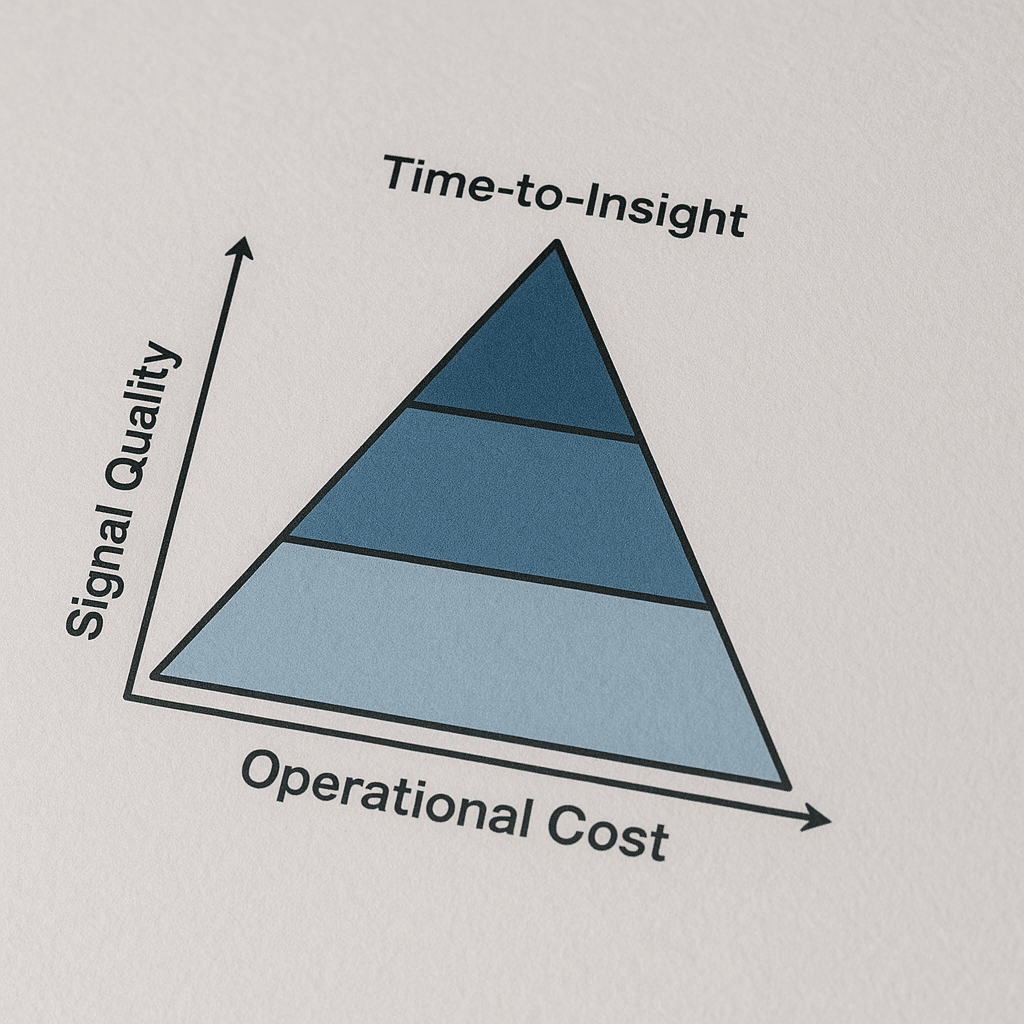
Focus on three categories: signal quality, time-to-insight, and operational cost per validated outcome. Each reveals a different failure mode.
- Signal Quality — Are core user touchpoints captured as first-party events and stored at the user level? Tools that preserve canonical identifiers and cross-domain IDs win here.
- Time-to-Insight — How long from a content change or experiment to a statistically meaningful signal? Shorter cycles mean faster learning and lower opportunity cost.
- Operational Cost Per Outcome — How many human hours are required to maintain the integration per conversion or lead? This exposes hidden costs of maintenance.
These categories map directly to business outcomes. If signal quality is poor, optimization picks the wrong winners. If time-to-insight is long, you pay cash for dull learning. If operational cost is high, ROI never materializes even when the tool technically works.
Which Tools and Specs Matter Most for Measurement
Named tools matter because they solve specific problems. Google Analytics 4 and Google Search Console are table stakes for search signal coverage. Server-side Tag Manager or a server-side tagging layer is the technical spec you ask about when ad blockers and privacy reduce client-side signals. Screaming Frog and Semrush handle crawl and competitive coverage; a lightweight session-replay tool like Hotjar helps validate UX hypotheses.
Why these work: server-side tagging moves the collection point to a controlled endpoint so you can control sampling, enrichment, and identity stitching. GA4 provides event-first schema that matches modern tracking needs if you map legacy dimensions correctly.
What to ask vendors: do you support server-side tagging, and can you supply a mapping template from Universal Analytics events to GA4 event schema? If they cannot show a mapping, expect data gaps.
- Named spec: Server-side tagging (Tag Manager Server-Side) implementation
- Named tool: Google Analytics 4, Google Search Console, Screaming Frog, Semrush, Hotjar
Image failed to generate
Comparison chart showing Google Analytics 4 vs Universal Analytics event mapping challenges — infographic-type visual
canceling statement due to statement timeout
How Long Does Adoption Take and What to Measure During That Window
Typical implementation windows vary by scope. Small integrations are often completed in 2-6 weeks. Full measurement migrations and server-side tagging rollouts commonly sit in a 6-12 week project window when you include QA, tag governance, and consent workflows.
Short answer: Start with a 2-6 week pilot focused on signal parity and a 6-12 week program for production rollout and QA.
During the pilot measure three checkpoints: parity of core events (are conversions firing the same way), variance in user counts (are unique users within an acceptable band), and first actionable insight (can you generate at least one optimization idea from the new signals).
What to accept as completion: parity on conversion events, a resolved list of mapping deltas, and automated alerts for missing events. If you leave any of those undone, you inherit a measurement blind spot that will distort every test.
Image failed to generate
Checklist diagram for pilot rollout: parity test, user variance check, first insight validation — infographic-type visual
canceling statement due to statement timeout
Common Failure Modes and Their Consequences
Failure mode: migrating to a new analytics schema without locking UTM and user ID mapping. Consequence: three months of unusable acquisition data, inability to validate channels, and wasted ad spend because attribution is inconsistent.
Failure mode: deploying server-side tagging without a plan for consent signals. Consequence: legal exposure and the need to rip out the solution under pressure, losing trust with engineering teams.
Failure mode: buying an A/B testing suite and running tests through the CMS release cycle. Consequence: tests stall for weeks, sample sizes are never reached, and you make decisions on underpowered results.
What good operators do differently: they treat the adoption as a layered rollout—pilot, audit, mapping, then production—and they bake rollback plans and data retention checks into each stage.
Image failed to generate
Scene showing an engineering sprint board with tags for pilot, audit, mapping, and rollback plan
canceling statement due to statement timeout
Real-World Scenario: Local Website Migration with Tight Constraints
Scenario: a 30-page local services website in Phoenix must move from a legacy CMS to a modern stack with a limited budget and a strict six-week window because seasonal demand peaks. Constraints: one developer on the project, zero downtime for core landing pages, and a mandated preservation of local schema markup and Google Business Profile links.
What we usually see when a project like this lands: teams rush content export and forget to export structured data and hreflang-like internal mapping. The visible consequence is a sudden drop in local impressions and organic leads for priority pages.
How to execute: perform a crawl with Screaming Frog to export the old URL map and structured markup, run a staging crawl after the migration, and run a controlled 7-day redirect monitoring period. Make sure Google Search Console verification is moved to the new host before you switch redirects.
Trade-offs: a slower, two-week phased redirect reduces risk but adds short-term complexity to analytics. The faster single-swap reduces project duration but increases the chance of missing a schema-rich page.
Image failed to generate
Process flow diagram illustrating migration crawl, mapping, staging crawl, redirect monitoring
canceling statement due to statement timeout
How to Evaluate Quality: Checklist and Questions to Ask Vendors
Ask these direct operational questions and require evidence, not promises.
- Can you show a mapping template from our current schema to yours? Request a sample mapping for conversions and custom dimensions.
- Do you support server-side tagging or a proxy collection endpoint, and can you describe how you pass consent signals?
- What are the rollback steps if the integration causes traffic anomalies? Ask for a documented rollback playbook.
- How do you version changes to event schemas? Look for semantic versioning or migration scripts.
- Who owns tag governance? If the vendor pushes governance to the client, confirm which team will be allocated hours.
What good answers sound like: a vendor who can produce a mapping CSV, a staging implementation URL, and a list of three common integration gotchas. If the vendor cannot provide those, the engagement will produce work that your internal team will finish.
Image failed to generate
Infographic checklist for vendor evaluation showing mapping template, server-side support, rollback playbook, schema versioning
canceling statement due to statement timeout
Quantifiable Thresholds to Use in Contracts
Use exact thresholds in your statements of work to avoid semantic disputes. Examples we include in contracts:
- Event parity threshold: at least 95 percent parity for core conversion events between old and new implementations during the staged 7-day overlap.
- Time-to-first-insight: vendor must deliver one actionable insight from the new signal set within 30 days of production rollout.
- Page performance guardrail: maintain Largest Contentful Paint within the target threshold defined by Google Search Central for good user experience. Confirm with a field-data check using CrUX samples before and after rollout.
Why this matters: vague SLAs lead to disputes. Precise thresholds force both sides to test and measure the result that actually correlates with business outcomes.
External resources for these thresholds include the Google Search Central guidance on Core Web Vitals and the Google Analytics developer docs for event schema.
References: Google Search Central guidance on performance metrics, Google Analytics developer documentation, and industry research on UX measurement from Nielsen Norman Group.
Image failed to generate
Data chart showing before-and-after LCP distributions as a reference visualization
canceling statement due to statement timeout
Practical Roadmap for Adoption: Sprint-Level Workplan
Run adoption as a small program within engineering sprints. Typical plan:
- Pilot sprint (1-2 sprints): implement server-side endpoint, map 3-5 priority events, validate on staging.
- Audit sprint (1 sprint): run dual tagging for 7 days, produce parity report, resolve mapping deltas.
- Production rollout sprint (1 sprint): switch traffic gradually, monitor alerts, confirm GA4 and Search Console staging handoffs.
- Optimization sprint (ongoing): use new signals to run one experiment or content change and measure time-to-insight.
What actually happens is teams skip the audit sprint. That shortcut creates measurement drift. Keep the audit sprint non-negotiable.
Image failed to generate
Scene showing agile sprint board with adoption tasks and acceptance criteria
canceling statement due to statement timeout
Integration with Marketing Channels and Cross-Functional Tradeoffs
Channel teams like paid search and email will expect immediate attribution parity. In practice, attribution plumbing is where adoption stalls. Bring paid media, CRM, and ops into the mapping checkpoint. For example, if you change the user identifier, CRM matching rules must be updated or you will inflate new-user counts in reports used by the paid team.
We often route channel-specific questions to a single integration owner who mediates between engineering and channel owners. That reduces the back-and-forth and keeps timelines realistic.
For local teams, integrate Google Business Profile and structured data checks into migration acceptance criteria. For creative-heavy programs, ensure your landing page vendor can accept server-side payloads for conversion events without additional JavaScript.
Internal links for complementary services: if you need a landing page partner, consider a Landing Page Design Agency In Florida or for a site overhaul see Website Redesign Company In Florida. For paid channel alignment use Google AdWords Management Services In Arizona. If you need creative or branding support, review the Branding Agency In Arizona and Graphic Design Agency In Arizona listings.
Image failed to generate
Comparison chart showing cross-functional responsibilities for integration vs channel teams
canceling statement due to statement timeout
Red Flags to Stop a Project Before It Fails
Stop or pause adoption if you see any of the following:
- Vendor cannot produce a mapping template from your existing events to the new schema.
- No documented rollback plan or you are asked to rely on one engineer’s memory for reversion steps.
- Vendor insists on immediate cutover without a staged audit and dual-tag period.
- Consent and privacy signals are an afterthought in the design, not a first-class field in every event payload.
Having a contractual exit or pause clause tied to parity and time-to-insight thresholds prevents costly downstream cleanups.
Image failed to generate
Checklist diagram for red flags to watch during technology adoption
canceling statement due to statement timeout
What to Do Next: Practical Evaluation Checklist
Use this quick checklist during vendor demos or internal planning sessions. Each item below is actionable and testable within a demo or a one-week pilot.
- Request a mapping CSV for your core conversion events and compare to your existing event schema.
- Ask for a server-side staging URL and perform a scripted event to confirm receipt and schema fields.
- Confirm the vendor’s rollback playbook and ask for a staged demo of the rollback sequence.
- Run a quick Screaming Frog crawl and verify that structured data and schema are preserved post-migration in staging.
- Set contract thresholds: event parity, time-to-first-insight, and production performance guardrail.
Next step recommendation: run a 2-6 week pilot with a fixed scope and acceptance criteria tied to the checklist above.
Related service links: teams often tie martech adoption to broader campaigns — consider pairing adoption with SMS Marketing Services In Arizona for direct response experiments or AI Customer Support Automation Services In Alaska for improving post-acquisition retention signals.
Image failed to generate
Infographic — Evaluation checklist for martech adoption with vendor demo to pilot steps
canceling statement due to statement timeout
Frequently Asked Questions
How Do I Know if a Tool Will Improve My SEO Signals?
Short answer: Verify the tool captures canonical user identifiers and preserves structured data in staging. Require a mapping template and a 7-day dual-tag parity test showing consistent core conversion events.
To go deeper: Ask for an export of the vendor’s event schema and run a side-by-side test with your existing analytics. If user counts diverge without explanation, the tool may not improve signals; it will only add noise.
What Is the Minimum Pilot Scope I Should Run?
Short answer: Pilot at least the top 3 conversion events plus cross-domain tracking for representative user journeys. That scope exposes the majority of mapping and identity issues without consuming excessive budget.
To go deeper: Include a staging endpoint for server-side events and require the vendor to supply a mapping CSV. Run the pilot for a minimum of one full business-cycle week to capture variability in user behavior.
Are Server-Side Tagging and GA4 Required for Adoption?
Short answer: Not required for every case, but server-side tagging solves signal loss and privacy-driven data gaps, and GA4 aligns measurement with event-first architectures used by modern tools.
To go deeper: If your traffic frequently meets client-side blocking or you rely on deterministic identity stitching, server-side tagging is high ROI. If you only need basic pageview analytics, a lighter approach may suffice.
How Do I Protect My Migration from Causing an SEO Drop?
Short answer: Maintain a staging crawl, keep structured data intact, and implement phased redirects. Verify Search Console ownership and monitor index coverage during a controlled redirect window.
To go deeper: Export your URL map with Screaming Frog, compare pre- and post-migration structured data, and set up incremental redirects over several days to quickly roll back if anomalies appear.
What Questions Should I Put into the Statement of Work?
Short answer: Include event parity thresholds, time-to-first-insight, rollback procedures, and acceptance tests for performance and consent signal propagation.
To go deeper: Require a delivery of mapping CSVs, proof of successful staging events, and an SLA for remediation of parity issues. Tie payments to passing acceptance tests to align incentives.
How Do I Keep My Paid Channels Aligned During Adoption?
Short answer: Involve paid media owners in the mapping sprint and freeze any attribution changes until parity is confirmed. Use a single integration owner to mediate changes to user identifiers.
To go deeper: Update CRM matching rules alongside analytics changes. If identifiers change, coordinate a controlled refresh or staged re-import to prevent duplicate user records in paid platforms.
Conclusion: The One Action That Reduces Adoption Risk Most
Require a mapping template and a 7-day dual-tag parity test before you cut traffic. That single step surfaces most integration gaps, forces the vendor to show operational discipline, and prevents the majority of measurement blind spots that derail ROI.
Action now: schedule a two-week pilot with explicit acceptance criteria and a rollback playbook. If you want help scoping the pilot or need a landing page partner, look at Landing Page Design Agency In Florida and SEO Agency In Florida for execution support.
Image failed to generate
Scene showing a team running a pilot acceptance review with analytics dashboards and sprint board
canceling statement due to statement timeout