Customer Experience for SEO & Digital Marketing: 5 Levers Pros Pull First
Optimizing customer experience for SEO means focusing on five tactical levers: mobile UX, content experience, technical speed, personalization, and post-conversion flow. Pull these in that order, measure with both behavioral signals and technical metrics, and you stop wasting traffic on pages that can’t convert.
Mobile Experience Optimization
Why it matters: Mobile is the crawl priority for most search engines, and what users experience on small screens determines both immediate engagement and longer-term ranking signals. What actually happens is pages designed primarily for desktop leak conversion on mobile because input friction, intrusive interstitials, and hidden CTAs kill momentum.
How it works: Treat mobile as a primary UI — reorganize information hierarchy, reduce form fields, and prefer visible taps over hidden dropdowns. Use Core Web Vitals and the WCAG 2.1 guidelines together; Core Web Vitals captures loading and stability while WCAG exposes accessibility barriers that raise bounce rates for assistive users.
Good vs bad: Good mobile experience has a clear primary action above the fold and a single-column flow. Bad mobile experience hides contact forms behind menus, forces pinch-and-zoom, or deploys full-screen interstitials that block content.
On-Site Content Experience
A common scenario we see: a 12-person B2B SaaS with a 30-page site that tries to rank by publishing thin feature pages. Constraint: limited budget, one copywriter, and a three-month launch window. The hard truth — thin or duplicated content wastes crawl budget and underperforms in conversions.
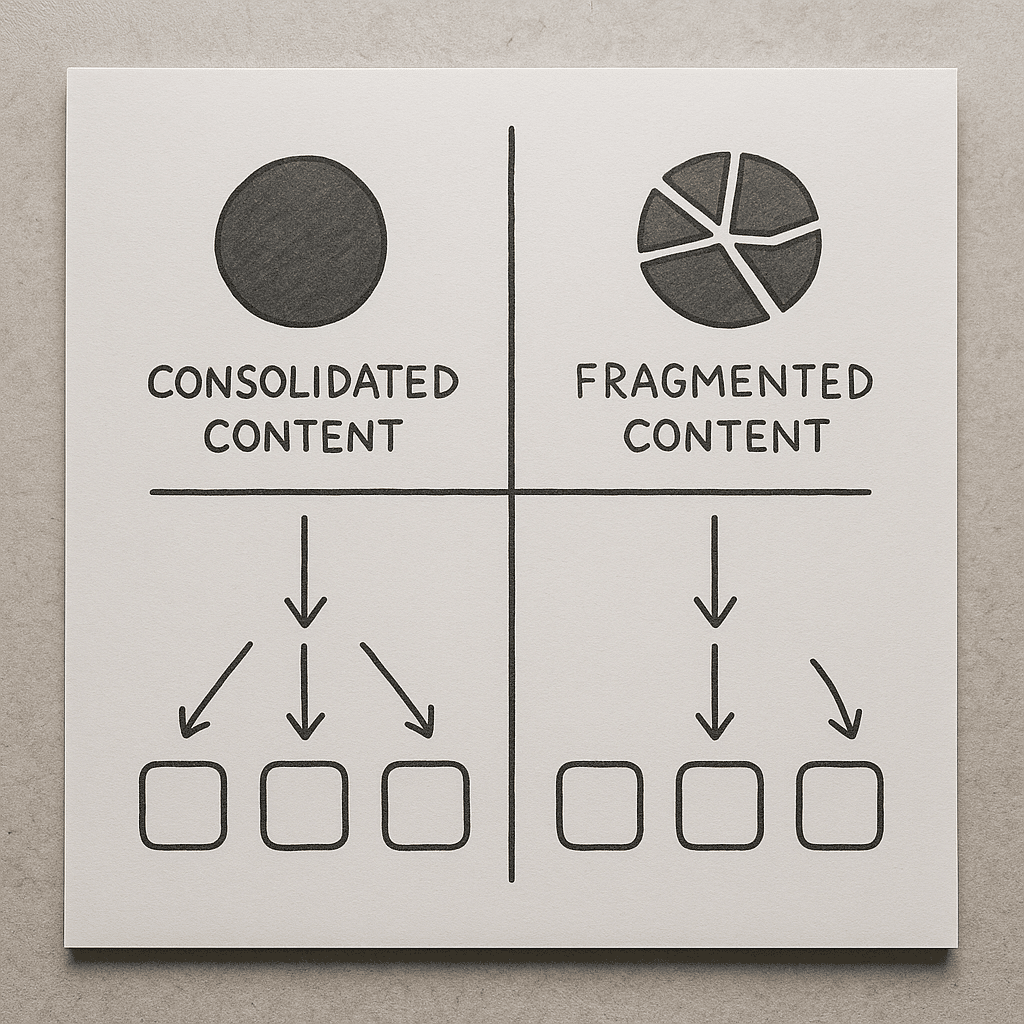
Why this lever works: Search engines reward content that satisfies user intent and keeps visitors engaged. Instead of generic page-per-feature, map content to intent-based buckets, consolidate near-duplicate pages, and deploy intent signals like FAQs and structured data to reduce ambiguity for crawlers.
How to execute: run a content audit, group pages by intent, and apply canonical consolidation. Use schema where appropriate to reduce SERP friction. Where you must personalize, prefer client-side injection of non-indexed fragments rather than whole-page cloaking.
Failure mode: splitting similar content across multiple low-quality pages creates keyword cannibalization and increases maintenance cost — good pages get buried under your own noise.
Site Speed and Technical UX
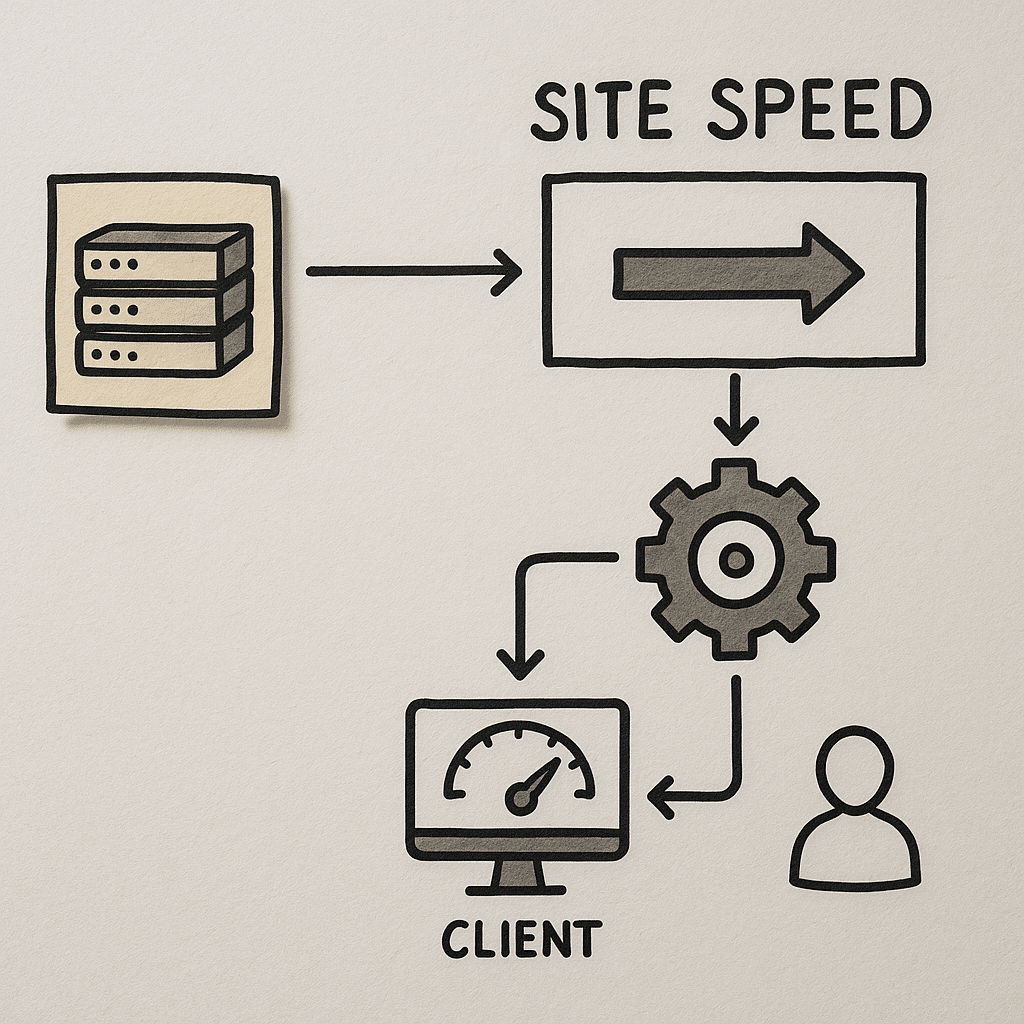
Why it matters: Load performance is both a user-experience issue and a search-quality signal. In practice we prioritize Largest Contentful Paint and Time To First Byte improvements because they impact perceived speed and crawl efficiency.
How it works: fix server-level bottlenecks first — enable compression, optimize the critical rendering path, and reduce third-party script impact. Consider server-side rendering or hybrid pre-rendering for pages with dynamic personalization so crawlers see full content without client-side execution delays.
Numeric thresholds to use as operational targets: aim for 2-3 second perceived load for primary entry pages and for Time To First Byte to be in the 100-300 millisecond range where possible. These ranges guide prioritization: CDN, image optimization, and script deferral come before micro-optimizations.
What good looks like: a lean critical path, prioritized CSS, and lazy-loading images implemented with proper native attributes so LCP isn’t delayed. What bad looks like: multiple blocking third-party tags, inline heavy fonts, and lazy-loading that defers hero images and hurts LCP.
Tools and standards to include: Core Web Vitals audits via Google Search Console, Lighthouse, and following WCAG 2.1 accessibility standards where performance intersects with accessible content.
Personalization and User Paths
Why this lever pays: Personalization converts traffic into repeat users when done without damaging SEO. What we usually see when teams rush personalization is they personalize entire pages server-side or client-side in a way that hides canonical content from crawlers.
How it works: split personalization into two layers. Keep canonical, indexable content stable. Then layer in personalized fragments — recommended products, account-aware CTAs, or location-based pricing — using progressive enhancement or server-side edge-injection that preserves the primary HTML for search bots.
Operational ranges: segment users into 3-5 primary cohorts for initial experiments — geography, acquisition channel, device type, and first-time vs returning user. Test one cohort at a time and measure lift in both engagement and conversion before expanding.
Failure mode and consequence: fully replacing indexable content with session-specific copies can lead to deindexing and ranking volatility. We avoid that by always ensuring the canonical HTML contains the version intended for organic discovery.

Post-Conversion Experience
Why it matters: SEO often gets credit for top-of-funnel traffic but loses value when the post-click flow fails. In practice, a strong customer experience after conversion reduces churn, increases LTV, and improves user-generated signals like repeat visits and branded search.
How it works: design post-conversion pages and emails to complete the use-case the user expected. For lead gen, deliver immediate next steps; for e-commerce, surface tracking and related content to keep users engaged. Use AI-based support automation for quick answers while preserving escalation paths to humans.
Good vs bad: a smooth post-conversion flow reduces support tickets and reduces friction in onboarding. Bad experiences create negative reviews, increased PPC waste from re-targeting uninterested users, and lower long-term organic value.
Named tool example: when automating support, integrate AI Customer Support Automation Services In Alaska to handle common queries while routing edge cases to human agents for retention-sensitive issues.
Image failed to generate
Checklist diagram for post-conversion flow covering confirmation, next steps, and support touchpoints
Image generation stalled and was auto-recovered. Click Retry to try again.
How Do You Measure Customer Experience for SEO?
Measurement must combine behavior and technical telemetry. Start with user engagement signals, then layer in server and crawl data to diagnose causes.
Short answer: Use a blend of behavioral metrics like session paths and conversion rates, technical metrics like Core Web Vitals and TTFB, and qualitative feedback from session recordings to triangulate where CX weakens SEO outcomes.
Practical setup: tie goals in Google Analytics or your analytics platform to page templates rather than URLs, monitor Core Web Vitals in Google Search Console, and sample session replays for pages with high exits. Where possible, instrument micro-conversions to reveal where users drop off in the journey.
Image failed to generate
Data visualization showing behavioral metrics vs technical metrics and where to instrument events
Image generation stalled and was auto-recovered. Click Retry to try again.
What Red Flags Predict Failure?
Short indicators often appear before traffic drops. When teams ignore early signals, problems compound.
Short answer: Red flags include rising mobile exits on primary landing pages, inconsistent canonicalization across templates, major spikes in server response time, and large volumes of near-duplicate content indexed under multiple URLs.
Operationally, set automated alerts for mobile exit rate spikes, monitor index coverage in Google Search Console for new patterns, and audit canonical and hreflang headers after any CMS or infrastructure change. A single failed redirect or wrong canonical during a migration is a common failure mode that causes durable ranking loss until corrected.
Image failed to generate
Process flow diagram illustrating monitoring alerts, root cause analysis, and remediation steps
Image generation stalled and was auto-recovered. Click Retry to try again.
Quality Evaluation Checklist and Questions to Ask
- Does the site present the canonical content consistently across device types and for crawlers? Ask for a server-rendered sample of a landing page and its served HTML.
- Are Core Web Vitals tracked per template and not only at the aggregated site level? Request segmented Core Web Vitals reports.
- Is personalization layered without replacing indexable content? Ask the vendor how they separate canonical HTML from personalized fragments.
- Has the team run an accessibility sweep per WCAG 2.1 for mobile flows? Ask for specific issues found and fixed, not just a pass/fail.
- Do post-conversion flows include measurable micro-conversions and support automation? Ask to see the workflow and fallback to human escalation.
- How many content templates are in use, and do they map to intent buckets? Ask for a content inventory and the rationale for consolidation or expansion.
Image failed to generate
Checklist diagram for vendor evaluation with checkboxes for canonical, performance, accessibility, and post-conversion
Image generation stalled and was auto-recovered. Click Retry to try again.
Three Practitioner-Level Insights Few Teams Use
- Server-side fragment personalization lets you test tailored CTAs while preserving a single canonical page for SEO, avoiding cloaking and index fragmentation.
- Progressive profiling preserves conversion velocity; collect minimum data at first touch and ask for more after trust is established, reducing immediate friction on mobile forms.
- During migrations, failing to align redirects, sitemap updates, and hreflang changes creates a soft loop where both old and new URLs compete, confusing crawlers and slowing recovery. Always include a canonical mapping spreadsheet in your migration plan.
Image failed to generate
Team workshop mapping migration redirects and canonical spreadsheet
Image generation stalled and was auto-recovered. Click Retry to try again.
Further Reading and Tools
Authoritative references we lean on: the Google Search Central documentation for crawling and Core Web Vitals, and the W3C WCAG 2.1 guidance for accessible design. Use Lighthouse and Google Search Console for diagnostics, and adopt a CDN and edge-rendering platform when you need sub-300ms TTFB at scale.
If you’re redesigning flows, consult teams who build both sites and creative — for example, coordinate with a Website Redesign Company In Florida to align UX and SEO, and use a Landing Page Design Agency In Florida for high-conversion templates.
For creative and messaging alignments that affect experience, involve a Graphic Design Agency In Arizona and Brand Messaging Consulting Services In Arizona early so visuals and copy reduce cognitive load rather than add noise. For paid acquisition that depends on a smooth CX, work with Google AdWords Management Services In Arizona or Paid Social Advertising Agency In Arizona to sync landing page KPIs.
Image failed to generate
Comparison chart showing lighthouse scores, user engagement, and conversion impact across design options
Image generation stalled and was auto-recovered. Click Retry to try again.
What to Do Next
Run a 30-day triage focused on three things: (1) mobile entry pages and Core Web Vitals, (2) canonical and content consolidation for intent, and (3) one personalization experiment with server-side fragments. That sequence preserves indexable content while improving user experience where it most affects conversions.
Need a practical first step? Export three landing pages with their served HTML and analytics, and have your team or vendor review them for canonical consistency and mobile CTA visibility. That single audit reveals whether you should prioritize technical fixes or content consolidation first.
Image failed to generate
Process flow showing 30-day triage steps from audit to experiment
Image generation stalled and was auto-recovered. Click Retry to try again.
References
Google Search Central documentation on Core Web Vitals: Official developer guide for Search
W3C WCAG 2.1 accessibility guidelines: WCAG 2.1 Standards
Example vendor integration for AI customer support automation: AI Customer Support Automation Services In Alaska