Sustainability in SEO & Digital Marketing: Practical Tactics That Actually Cut Waste
Sustainability in digital marketing means cutting recurring waste: reduce pointless crawls, shrink page weight, and design campaigns for durable attention. By the end you’ll be able to audit one site for energy and crawl waste, pick three concrete optimizations to reduce repeated cost, and choose the right hosting and tooling trade-offs for your constraints.
By the end you will be able to: run a quick sustainability audit that highlights recurring energy and crawl waste, pick three remediation tactics with clear success criteria, and ask the right questions when hiring vendors so you avoid greenwashing. This article is written from a practitioner’s perspective—I’ll show what we usually see on projects, the practical fixes that work, and the typical failure modes to avoid.
Why Sustainability Should Change Your SEO Priorities
Most SEO roadmaps focus on traffic lift and technical fixes. What actually happens in ongoing sites is that a small set of recurring costs—server work caused by verbose pages, high-frequency crawler loops, and wasteful paid impressions—create the greatest long-term environmental and financial impact. Shifting priorities from one-off gains to reducing recurring work delivers outsized benefits for both carbon and cost.
How it works: crawlers, real users, and ad networks all cause repeated compute and bandwidth. If one poorly structured faceted navigation causes crawlers to fetch thousands of near-duplicate URLs every day, that repeated work compounds. Fix the source of repeated fetches and the site stops wasting resources daily.
What good looks like: crawl logs that show bots sampling a diverse set of pages and server CPU remaining steady under normal traffic. What bad looks like: crawl logs dominated by parameterized filter URLs or low-value faceted pages, and spikeable CPU during campaign waves.
How to Measure Waste Quickly
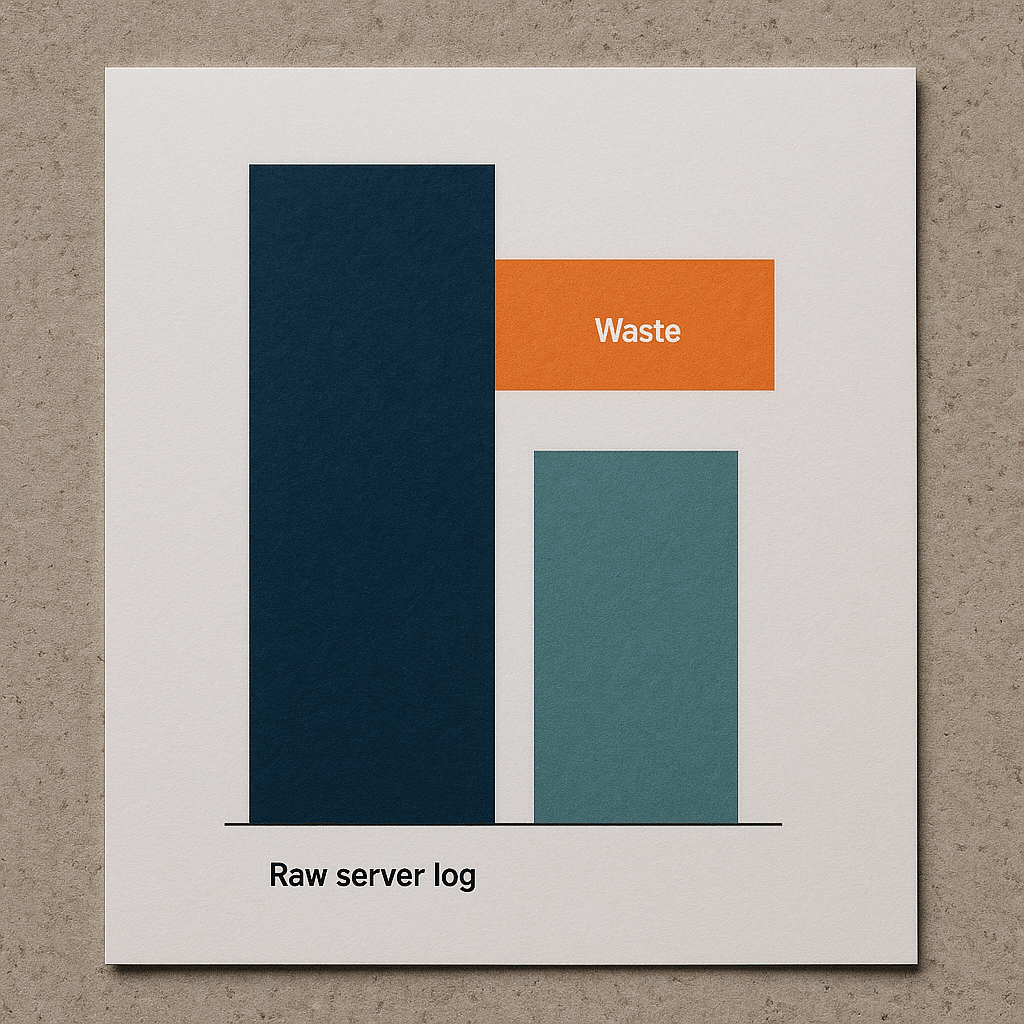
Start with three signals: server logs, page weight, and ad impression patterns. In practice the simplest audit that produces action items combines Screaming Frog crawl samples, Google Search Console index coverage, and three months of raw server logs or a log-sample from your CDN.
Short answer: Map which URLs consume the most requests and bandwidth, identify recurring patterns (filter pages, calendar pages, printer-friendly versions), then prioritize fixes where the same work is repeated daily.
Concrete checks to run in your first hour:
- Use Screaming Frog to crawl a representative site section with parameters excluded so you capture templates and faceted URLs.
- Load 30–90 days of server logs into a log analyzer and filter by bot user agents to find the top crawl targets.
- Audit top landing pages with PageSpeed Insights and track Core Web Vitals; focus on Time to Interactive targets in the 2–4 second range for interactive experiences.
Good vs bad: a single product listing page that appears in the top 100 of bot requests is a red flag because it means repeated fetch cost. If your site generates many near-duplicate listing URLs, plan to collapse them behind canonical URLs, parameter handling in Search Console, or server-side canonical redirects.
Practical Fixes That Reduce Recurring Carbon and Cost
These are the tactics we implement first on constrained projects because they stop recurring waste without a full site rewrite.
- Crawl Budget Tuning: Use robots.txt to disallow low-value URL patterns, implement rel=canonical for parameter variants, and register parameter handling in Google Search Console. When you can, move filters to POST or client-side state so bots don’t create indexed permutations.
- Log-Driven Prioritization: Don’t guess. Export three months of CDN or server logs and target the top 5–10 URLs responsible for the most requests. Remediate those first; the effect compounds because you’re cutting repeated traffic at the source.
- Page-Weight Budget: Set an operational image and asset budget of 50–200 KB per hero-image or 150–400 KB for full-content pages depending on complexity, and enforce via CI checks on build. That makes caching effective and reduces repeated transfer costs.
- Edge Caching And TTLs: Configure CDN caching TTLs for high-value static pages and serve API responses from edge caches. Short TTLs for rapidly changing data cause repeated origin fetches; lengthen TTLs where freshness tolerance exists.
- Campaign Design For Durability: Structure paid campaigns to land on evergreen content and reuse impressions across channels, rather than high-impression ephemeral landing pages that disappear—reducing churn in index and ad spend.
Why these work: they convert one-time fixes into ongoing savings. Blocking a nuisance parameter once reduces thousands of daily requests. Shrinking assets by a few hundred kilobytes may only shave milliseconds off a single load, but multiplied by recurring visits and crawls it avoids repeated bandwidth and compute.
Image failed to generate
Infographic — checklist for five practical fixes to reduce website recurring waste: crawl tuning, log analysis, page-weight budget, CDN caching, campaign durability
canceling statement due to statement timeout
Scenario: A 30-Page Sustainability Microsite with One Week Launch
Constraint: a 30-page microsite for a Phoenix solar installer, one developer, one-week deadline, goal to minimize hosting carbon impact while delivering SEO visibility. This mirrors projects we handle when teams need fast, sustainable launches.
What we usually do when the calendar is this tight:
- Host on a provider with basic renewable energy or offset reporting, but prioritize a static-first architecture—generate the 30 pages as static HTML so origin work is minimal.
- Use pre-rendered Schema.org Product/Service structured data for the key pages and compress images to the 50–150 KB range to meet fast loads.
- Deploy to a CDN with long TTLs for static assets and set a short purge window for content edits.
Failure mode we’ve seen: teams migrate to a Green-labeled host but leave the site as a dynamic CMS with low cacheability. The result is higher CPU per request and no net savings—the hosting label can’t compensate for an architecture built around many origin hits. The real saving is static output and intelligent caching.
Image failed to generate
Scene — developer deploying a 30-page static microsite for a solar installer with CDN and static hosting configurations
canceling statement due to statement timeout
Is Green Hosting Enough?
Short answer: No. Green hosting helps, but without reducing repeated compute and bandwidth your site will still produce avoidable emissions; architecture and content design are the multiplier.
Why it matters: hosting with renewable energy reduces marginal carbon per kilowatt-hour, but if the site is inefficient—large pages, no caching, aggressive crawler loops—those savings are offset by high operational demand. In practice, the biggest gains come from reducing repeated work, not only from buying cleaner electricity.
What to evaluate in a hosting vendor: transparency on energy sourcing, measurable reporting, and importantly, features that let you reduce origin work—automatic CDN, per-path TTL controls, and fine-grained cache invalidation. Ask vendors for the specific controls that let you implement the fixes above.
Image failed to generate
Comparison chart showing green hosting features vs architecture controls like CDN TTLs, edge caching, and static site generation
canceling statement due to statement timeout
Common Misconception: Small Pages Don’t Matter
Many teams treat page-weight savings as cosmetic. That’s wrong. The misconception is that a few kilobytes saved are negligible. What actually happens is repeated savings multiply—every cached or smaller page reduces bandwidth and CPU across every visit, bot fetch, and ad impression.
Example: if a high-traffic landing page serves a 600 KB hero image instead of a compressed 120 KB image, the delta is transferred for each visit and each bot fetch. Over time that repeated transfer becomes the dominant cost. The right metric is not per-load time but per-month repeated transfer and origin CPU.
Image failed to generate
Data visualization showing cumulative bandwidth over time for different page-weight scenarios
canceling statement due to statement timeout
How to Evaluate Agencies and Vendors
Ask operational questions, not marketing questions. A vendor who can answer specifics is credible; a vendor that stays in high-level green claims is a red flag.
Checklist of questions to ask potential partners:
- Can you show a crawl-log reduction you achieved, and what steps produced it? Ask for a before/after of their log analysis.
- Which tools do you use for enforcement? Expect named tools like Screaming Frog, Google Search Console, PageSpeed Insights, and a log analyzer.
- How do you measure recurring impact? Ask for the metric they’ll use—bandwidth saved per month, cache hit ratio uplift, or reduction in bot-origin fetches.
- Do you enforce an image or asset budget in CI? If they say yes, ask them to show the CI rule or script.
- For paid campaigns, how will you minimize wasted impressions? Ask for campaign structures that favor evergreen landing pages, and examples of reusing creative to reduce churn.
Red flags: vague answers about “being green” without operational detail, no log-analysis examples, or no named tools. Good providers can show a clear, repeatable method and a case where the same method reduced recurring work on another client.
Image failed to generate
Checklist diagram for vendor evaluation: log analysis proof, named tooling, CI enforcement, CDN controls, campaign durability
canceling statement due to statement timeout
Action Plan: The First 30–90 Days
Make the first three months about eliminating repeat waste—don’t chase marginal ranking lifts. A focused, short plan looks like this:
- Week 1: Export crawl logs, run Screaming Frog sample, and identify top recurring problematic URLs.
- Week 2–3: Implement robots.txt and parameter handling for low-value patterns and deploy canonical rules for template variants.
- Week 4–6: Enforce an asset budget (50–200 KB for hero assets, 150–400 KB page targets depending on content complexity) via CI and compress/serve responsive images with modern formats. Update CDN TTLs to favor static caches.
- Week 7–12: Rework paid campaigns to land on evergreen pages and instrument measurement for monthly recurring bandwidth and cache hit ratio.
Success metrics to watch: reduction in bot-origin fetches for targeted URL patterns, improved cache hit ratio at the CDN, and lower median page transfer size for high-traffic pages. These are the signals that your sustainability work is reducing recurring waste and cost.
Image failed to generate
Process flow diagram illustrating a 30–90 day sustainability SEO action plan with milestones and checkpoints
canceling statement due to statement timeout
Resources and Standards to Reference
Use standards and documented tooling to keep the work auditable. Reference Core Web Vitals and PageSpeed Insights for user-facing performance, Schema.org for structured data, and include log analysis tooling like Screaming Frog and a server log parser in your toolkit.
According to the U.S. Department of Energy, data centers represent a meaningful portion of electrical demand and therefore architecture choices matter for real-world energy consumption, so optimize origin work before relying solely on green hosting. The EPA provides guidance on green power and purchasing that helps validate vendor claims. For performance thresholds and lab tests, use the web.dev Core Web Vitals documentation as your audit baseline.
Authoritative links:
- U.S. Department of Energy — Data Center Energy Use
- EPA — Green Power Partnership
- web.dev — Core Web Vitals
Image failed to generate
Infographic — comparison chart showing performance standards: Core Web Vitals, PageSpeed Insights, and audit checkpoints
canceling statement due to statement timeout
Quality Evaluation Checklist
Use this internal checklist when you audit or hire:
- Log Analysis: vendor produces a three-month log sample with before/after remediation notes.
- Named Tools: Screaming Frog, Google Search Console, PageSpeed Insights, and a log analyzer are used and shown in reports.
- Asset Budgets: explicit asset size targets exist and are enforced in build pipelines.
- Cache Controls: CDN TTLs per path are configured; cache hit ratio is tracked.
- Campaign Durability: paid ads land on evergreen pages and reuse creative to reduce churn.
- Transparency: hosting vendor provides energy sourcing disclosures or links to their sustainability reports.
Questions to ask yourself: Will the fix reduce repeated work? Can the result be measured monthly? Does the vendor show past examples with named tools and logs? If you can answer yes to these, you’re working with a team that understands sustainable digital practice.
Image failed to generate
Checklist — sustainable SEO evaluation checklist for agencies and vendors
canceling statement due to statement timeout
Frequently Asked Questions
How Do I Estimate the Environmental Impact of My Website?
Short answer: Estimate recurring traffic and bot fetches, multiply by average page-transfer energy cost and your grid’s carbon intensity, and focus on recurring hotspots rather than single loads. That identifies the real impact quickly.
To go deeper, export CDN or server logs to quantify visits and bot requests per URL, calculate average bytes transferred per request, and use published grid carbon-intensity metrics or vendor reporting to translate energy into emissions. Prioritize hotspots with recurrent fetch patterns because cutting them produces sustained reductions.
Which Tools Give the Best Signal for Crawl Waste?
Short answer: Server or CDN logs are the primary source, supplemented by Screaming Frog crawls and Google Search Console for index-status checks. Logs reveal actual bot behavior; crawlers only simulate it.
To go deeper, parse logs to list the top requested paths by bots, then match those paths against your sitemap and canonical rules. Screaming Frog will find templates and parameter permutations quickly, while Search Console shows indexing outcomes and parameter handling that can affect search engine behavior.
Will Switching to a Green Host Automatically Make My Site Sustainable?
Short answer: No. Hosting matters, but architecture and caching reduce the repeated work that produces most of the real-world impact. Combine green hosting with static output and strong CDN caching for actual gains.
To go deeper, green hosting reduces carbon intensity per kWh, but inefficient origin behavior—frequent dynamic renders, short CDN TTLs, large assets—keeps energy use high. The pragmatic path is to first reduce origin hits and transfer, then migrate to cleaner power where available.
What Performance Thresholds Should We Aim for on Pages?
Short answer: Use Core Web Vitals as your baseline and target interactive experiences with Time to Interactive roughly in the 2–4 second range for most content-heavy pages, while enforcing a 50–200 KB budget for hero images where possible.
To go deeper, Core Web Vitals provide measurable UX thresholds; Time to Interactive captures interactivity delays that cost CPU. Hero-image and overall page size budgets ensure repeatable transfer savings. Tune thresholds to your audience and content complexity, but enforce them via CI checks to keep regressions from creeping back in.
How Do Paid Campaigns Fit into a Sustainability Strategy?
Short answer: Design paid campaigns to drive durable page engagements—land on evergreen content and reuse creative—to avoid creating disposable landing pages that generate repeated ad impressions and index churn.
To go deeper, ephemeral landing pages often require repeated crawling and ad-serving overhead. Instead, structure campaigns to point at reusable, cache-friendly pages and measure impression efficiency rather than raw reach. This reduces both ad budget waste and recurring technical load.
What Is a Common Failure Mode to Watch for During Migrations?
Short answer: Migrating to a new host or CMS without preserving canonical rules, parameter handling, and CDN configuration often reintroduces crawl waste and drops cache hit ratios, negating any hosting or sustainability gains.
To go deeper, migration checklists must include robots.txt parity, canonical and hreflang continuity, parameter handling in Search Console, DNS and SSL configuration, and CDN path TTLs. Missing any of these can create repeated origin fetches and indexing of low-value URLs, increasing both cost and emissions.
Next Steps and CTA
The single most useful takeaway: attack recurring work first. Reduce the repeated fetches and transfers; everything else becomes easier and more impactful. If you want immediate steps, run a log-driven crawl analysis and set a small asset budget enforced in CI for your high-traffic pages.
If you’d like a quick, practical review, DIQSEO offers focused audits that combine log analysis, crawl tuning, and CI-based asset budgets. For brand and campaign alignment that supports durable content and reduced churn, see our Branding Agency In Arizona and for campaign design that minimizes wasted impressions, review our Google AdWords Management Services In Arizona. For social ad approaches that reuse creative and reduce campaign churn, look at our Paid Social Advertising Agency In Arizona.
If you manage content operations and want to enforce image and asset budgets in build pipelines, our Website Redesign Company In Florida page outlines how we integrate CI checks. For ongoing channel optimization that reduces churn and recurring load, our Affiliate Marketing Agency In Alaska work illustrates reuse strategies across partners.
Image failed to generate
Checklist diagram for immediate audit actions: export logs, run Screaming Frog, set asset budgets, configure CDN TTLs
canceling statement due to statement timeout